
Craft your image with creativity; it’s your masterpiece waiting to shine.
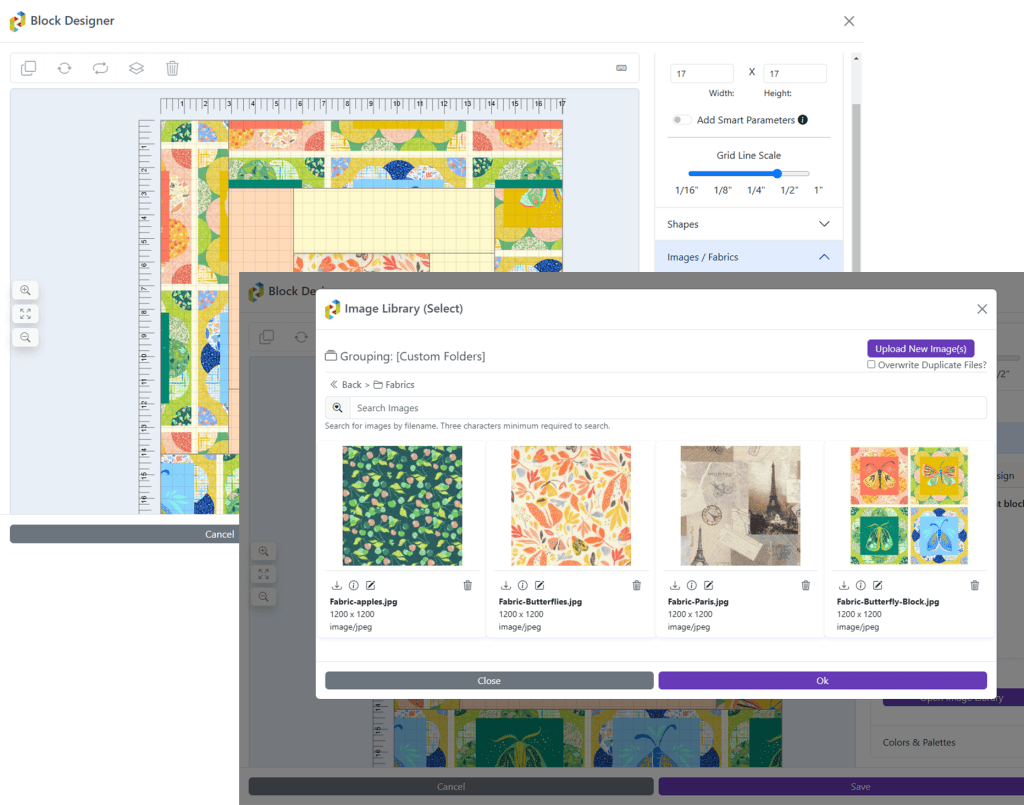
Bring your images to life and watch your creativity unfold into something truly extraordinary! The Image Library provides a powerful way to personalize your quilt designs by allowing you to upload images of fabric swatches, logos, T-shirts, and more. This versatile tool lets you seamlessly incorporate your own images into your designs, giving you the freedom to create truly unique quilts. You can organize your images in multiple ways, whether by design, project, or custom folders, making it easy to manage and access your collection. The Image Library also includes an Image Editor that allows you to rotate, flip, and crop your images, ensuring they fit perfectly into your design. With these capabilities, CINCHQuilt™ makes it easy to turn your vision into a reality!
Whether it’s personal photos of jerseys or other t-shirts / fabrics or professional curated visuals, the Image Library empowers you to elevate your quilt designs with a comprehensive repository of customizable imagery.

Manage Your Collection
A collection as unique as you are
Upload images of fabrics, t-shirts, logos, and anything else to keep to use within blocks and designs with ease.
Keep your collection organized by grouping by design or custom folders you choose.
Intelligent software identifies text within images making this searchable in case you need a little help finding an image.
Check out the eLearning session on the Image Library on our YouTube channel. Be sure to subscribe!
Image Editing
flawless like a monet brush strok
The easy to use Image Editor gives you the power to fine-tune your images for a flawless fit in your quilt designs. With easy-to-use tools, you can crop, flip, and rotate your images to achieve the perfect alignment and look. Whether you’re adjusting fabric swatches or tweaking custom images, the Image Editor ensures every detail is just right, making your designs come together seamlessly. It’s the perfect tool for adding that final touch of precision and creativity to your quilt projects.
Be sure to check out the Image Editor eLearning session on our YouTube channel. Don’t forget to subscribe!


Intelligent Information
Computer aided design information
All images in your library are automatically analyzed giving you insightful information such as the dimensions, dominant color and even identifies the text within the image for searching.
The Dominant Color is useful when coloring patches that coordinate with the image and other design elements to ensure colors match.
Most common image formats are supported. (.jpg, .gif, .png)
Use Images in Your Design
bring your creations to life
Easily incorporate your images into your designs, giving you the flexibility to create truly unique quilts. Use images to represent fabrics and logos within your design. Show this off to family, friends, and clients before you make any cuts. Making it that more easy to tailor every detail to your vision.
Our video on the Block Designer shows some great examples. Be sure to check it out and don’t forget to Like and Subscribe!
You must be logged in to post a comment.