
Unleash the boundless creativity within you, for it holds the power to shape a world of endless possibilities and vibrant expression.
Introducing the Block Designer! Experience complete creative control to design your own quilt blocks and reusable patterns. Starting with basic shapes, you can easily combine, flip, rotate, and duplicate elements to craft block designs as unique as you are. Whether you want to explore different color combinations, incorporate images, or experiment with various layouts, the Block Designer provides all the software design tools you need. This versatile feature lets you bring your quilting ideas to life with precision, allowing for endless customization and creativity in your quilt designs.

It All Starts With Shapes
The Block Designer allows you to select from various shapes to scale, stretch, and skew your way to amazing block designs.
Start with basic shapes, then use the intuitive software design tools to combine them to create more complex shapes, flip, rotate, stretch, skew, duplicate and more!
Of course it utilizes the Snap Grid System and Real-Time measurements to effortlessly ensure your design is exactly what you want it to be!
Get Creative and Add Some Color
Dream in colors and shapes, then craft your vision into something tangible and beautiful
Predefined color palettes simplify the color selection process by offering a range of predefined palettes designed to ensure your colors harmonize beautifully.
Whether you’re looking for classic combinations or modern hues, these curated palettes provide inspiration and take the guesswork out of color matching. Of course you can create your own custom color too!
With just a few clicks, you can apply a professionally designed color scheme to your quilt, giving your project a polished look. Perfect for quilters who want to experiment with color without worrying about clashing tones, the Color Palettes feature helps you create stunning designs with confidence.


FREE Templates to Explore and Customize
CINCHQuilt’s™ Block Designer comes with a robust library of predefined block templates and patterns to spark your imagination.
Start with inspiration, customize and make it your own! Then when you’re ready print your block as a paper template!
Incorporate Images
Bring your unique fabric collection to life
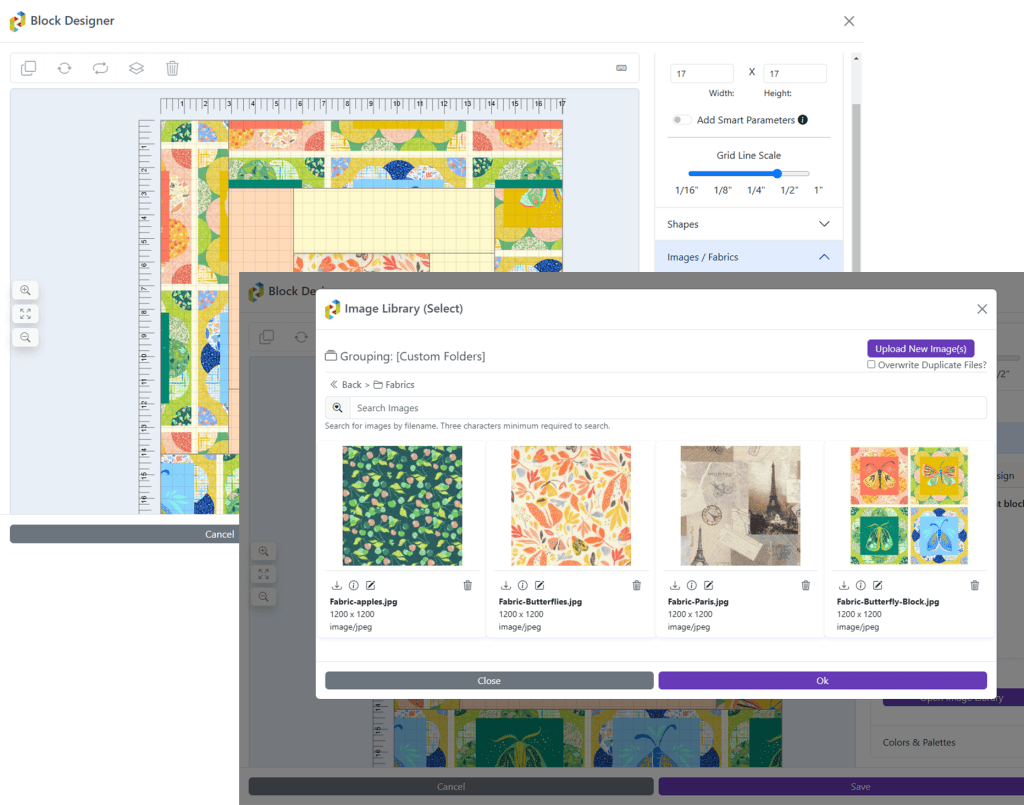
Insert images and photos from your Image Library directly to the block design to represent fabric swatches and patterns you have in your collection.
Using images of your own fabrics, you can seamlessly integrate them into your quilt patterns. Whether you’re matching colors, experimenting with different textures, trying out new combinations, or laying out t-shirt and memory quilt designs, using images makes it easier to visualize your ideas with accuracy.
Create a stunningly beautiful design ready to share with the world!

Smart Parameters
CINCHFit™ Parameters
What are “Smart Parameters”? We’re glad you asked!
These are settings that you can set to choose whether the block can be automatically adjusted based on minimum / maximum width and height.
Ok, so what exactly does that mean?
These parameters are used with the CINCHFit™ auto block placement feature that automatically determines the best fit for blocks. You can set a minimum and maximum width and height for a block. This works best when you have extra fabric that you could add around a design, t-shirt logo or jersey number.
Always Improving!
The Block Designer is constantly getting upgrades which include additional time-saving features coming soon!
- Letters and Symbols to use within Blocks
- Create Blocks to Share with the Community
- And more based on your feedback!

You must be logged in to post a comment.